Saturday, August 29, 2015

Using Technology to Create a Classroom Calendar Chart

In my "Old Days" of teaching, I posted a calendar chart in the classroom.  This was before whiteboards were available.  Every August, I would take the calendar chart out of my teacher's closet and hang it up on one of the walls in the classroom.  Each year, it became more and more worn.  It had folds where none should have been, it was frayed on the edges, and there were tape marks, holes, and tears from years of being mounted, taken down, and posted again.  It was sad looking.  It did not exude freshness and newness for classroom decor at the beginning of the school year. 

I might also mention that I was not fond of the abbreviated words for the days of the week.  In my opinion, young children should see the full name of the days of the week when teaching calendar skills. Should I mention that the font style was not my favorite?  But . . . . what was I to do.  I wasn't in the business of manufacturing calendar charts.

It gets worse.  There were a few times when I couldn't FIND the calendar chart.  I misplaced it.  Where oh where could it be???  It wasn't in my teacher's closet OR the usual places that I might have put it.  I was scrambling to locate it before the first day of school. 
 
Then the birth of the whiteboards.  This gave teachers like me the power to post their calendar activities on a digital file and then project them on the board.  

No more calendar charts.   

Not so fast!  I STILL liked having a calendar chart posted on the wall.  The children could refer to it throughout the school day as needed.  I believe it helped them to see the value of using a calendar in authentic situations.  They also liked manipulating the numerals and arranging and rearranging the order when they had a few extra minutes.  

Thanks to technology and Microsoft Word ®, I learned how to make my own calendar chart.  No more abbreviated days of the week!  No more fonts that I don't want!  No more "sad" looking calendar charts.  No more lost calendar charts!
Are you tired of using the same educational calendar chart every year?  Make your own for less than $4.00!  Customize your chart with your own font preferences and select the paper color from your print shop's available options.  Learn how to make your own large display chart or use the free printable #calendar chart provided.  Save the file to your flash drive and take it to your local print store.  Never be stuck with a bent or torn calendar chart for the start of the school year again!

In this post, I will teach YOU how to create your own printable calendar chart using Microsoft Word ®.  I will make this easy.  But, if you're not up to the challenge, you may download the FREE calendar chart that I created.  It's at the end of this post.  Remember, learning to create this yourself adds to your technology toolbox! 
Are you tired of using the same educational calendar chart every year?  Make your own for less than $4.00!  Customize your chart with your own font preferences and select the paper color from your print shop's available options.  Learn how to make your own large display chart or use the free printable #calendar chart provided.  Save the file to your flash drive and take it to your local print store.  Never be stuck with a bent or torn calendar chart for the start of the school year again!

Are you tired of using the same educational calendar chart every year?  Make your own for less than $4.00!  Customize your chart with your own font preferences and select the paper color from your print shop's available options.  Learn how to make your own large display chart or use the free printable #calendar chart provided.  Save the file to your flash drive and take it to your local print store.  Never be stuck with a bent or torn calendar chart for the start of the school year again!

There are many versions of Microsoft Word ®.  The version that I used to create the chart with is Microsoft Office 2010 Home and Business.  If you have a different version, things that I show you might be a tad different on your computer.  Therefore, this tutorial may not work as well for you.  I also converted my chart to a PDF so that I could take the file to a print shop and maintain formatting.

Let's get started.  It's as easy as following a recipe in a cookbook!

1.  Open to Microsoft Word ®
2.  There are 3 things we will take care of to set up your page.  Click on the "Page Layout" tab.  You will see "Margins, Orientation, and Size".  I've outlined them in blue, red, and green as shown below respectively.
Are you tired of using the same educational calendar chart every year?  Make your own for less than $4.00!  Customize your chart with your own font preferences and select the paper color from your print shop's available options.  Learn how to make your own large display chart or use the free printable #calendar chart provided.  Save the file to your flash drive and take it to your local print store.  Never be stuck with a bent or torn calendar chart for the start of the school year again!
Figure 1
We'll start with "Margins".  Click on it and scroll down to "Custom Margins".  Set your custom margins as shown below.  It's 0.4 at the top of the page and 0.05 at the bottom of the page.  Use .25 for the left and right margins.  Then click on the "OK" bar. 
Are you tired of using the same educational calendar chart every year?  Make your own for less than $4.00!  Customize your chart with your own font preferences and select the paper color from your print shop's available options.  Learn how to make your own large display chart or use the free printable #calendar chart provided.  Save the file to your flash drive and take it to your local print store.  Never be stuck with a bent or torn calendar chart for the start of the school year again!
Figure 2

Warning!  From time to time you will see this message below.  Always choose to ignore it!
Are you tired of using the same educational calendar chart every year?  Make your own for less than $4.00!  Customize your chart with your own font preferences and select the paper color from your print shop's available options.  Learn how to make your own large display chart or use the free printable #calendar chart provided.  Save the file to your flash drive and take it to your local print store.  Never be stuck with a bent or torn calendar chart for the start of the school year again!
Figure 3
4.  That was easy!  Click on the "Orientation" tab next.  (Remember that I outlined that in red.)  It will give you 2 choices.  The choices are "Portrait" and "Landscape".  Pick "Landscape".
Are you tired of using the same educational calendar chart every year?  Make your own for less than $4.00!  Customize your chart with your own font preferences and select the paper color from your print shop's available options.  Learn how to make your own large display chart or use the free printable #calendar chart provided.  Save the file to your flash drive and take it to your local print store.  Never be stuck with a bent or torn calendar chart for the start of the school year again!
Figure 4

5.  We're on a roll!  Click on the "Size" tab.  Scroll down and select "More Paper Sizes".  Then, under the paper tab, scroll again from the listing.  It will give you choices like, "letter", "legal", "statement", "executive" and so forth.  You want to find the one that says, "Custom Paper Size".  Once in the "Custom Page Size" mode, you will type in your desired width and height.  In the "width" bar, highlight and type: 22".  In the height bar, highlight and type:  17".  Then click "OK".  (Remember that the message from figure 3 may pop up.  Just hit ignore!)
Are you tired of using the same educational calendar chart every year?  Make your own for less than $4.00!  Customize your chart with your own font preferences and select the paper color from your print shop's available options.  Learn how to make your own large display chart or use the free printable #calendar chart provided.  Save the file to your flash drive and take it to your local print store.  Never be stuck with a bent or torn calendar chart for the start of the school year again!
Figure 5

See how smart you are!  Your page is all prepped!  Now it's time to add a table that will become your calendar chart!  

6.  There is an "Insert" tab.  Click on it and then on the image of the table.  Mouse over the table until you have a 7 x 6 table.  It will show 7 squares horizontally and 6 squares vertically.  Click, and your table will be on your page.  

Are you tired of using the same educational calendar chart every year?  Make your own for less than $4.00!  Customize your chart with your own font preferences and select the paper color from your print shop's available options.  Learn how to make your own large display chart or use the free printable #calendar chart provided.  Save the file to your flash drive and take it to your local print store.  Never be stuck with a bent or torn calendar chart for the start of the school year again!
Figure 6

Your table might look like the one shown in figure 7.  It doesn't look like a calendar chart right now but that's o.k.  Make sure it has 7 boxes going horizontally and 6 going vertically.  It's a total of 42 boxes.  We'll call those boxes "cells".

Are you tired of using the same educational calendar chart every year?  Make your own for less than $4.00!  Customize your chart with your own font preferences and select the paper color from your print shop's available options.  Learn how to make your own large display chart or use the free printable #calendar chart provided.  Save the file to your flash drive and take it to your local print store.  Never be stuck with a bent or torn calendar chart for the start of the school year again!
Figure 7
We're going to make some adjustments to your table.  But first you need to understand how to highlight rows within your table.  This allows you to direct your commands to the proper rows, columns, and cells.  There are two examples shown below.  The first example (figure 8) shows the entire table as highlighted.  I would want to use this if I planned to make every cell the same measurement.   
Are you tired of using the same educational calendar chart every year?  Make your own for less than $4.00!  Customize your chart with your own font preferences and select the paper color from your print shop's available options.  Learn how to make your own large display chart or use the free printable #calendar chart provided.  Save the file to your flash drive and take it to your local print store.  Never be stuck with a bent or torn calendar chart for the start of the school year again!
Figure 8
The second example (figure 9) shows the rows 2 through 5 highlighted.  In this instance, I would give those rows directions in terms of measurements without directing the first or last rows.

Are you tired of using the same educational calendar chart every year?  Make your own for less than $4.00!  Customize your chart with your own font preferences and select the paper color from your print shop's available options.  Learn how to make your own large display chart or use the free printable #calendar chart provided.  Save the file to your flash drive and take it to your local print store.  Never be stuck with a bent or torn calendar chart for the start of the school year again!
Figure 9
I would highlight, then right mouse click within the table, and select "Table Properties".  From there I would give it the measurement formula.

7.   We're ready to turn this table into a calendar chart!  Go ahead and highlight the entire table.  Left click your mouse and drag it over the entire table.  Then right mouse click within the table.  (Make sure the table remains highlighted when you do this.)  A drop down menu will appear.  Left mouse click "Table Properties".  You will get a dialogue box which will look like the one shown below.  I've circle the important items in yellow.
Are you tired of using the same educational calendar chart every year?  Make your own for less than $4.00!  Customize your chart with your own font preferences and select the paper color from your print shop's available options.  Learn how to make your own large display chart or use the free printable #calendar chart provided.  Save the file to your flash drive and take it to your local print store.  Never be stuck with a bent or torn calendar chart for the start of the school year again!
Figure 10
You are going to make every cell in this table 3 inches by 3 inches.  Go to the Row tab.  Specify height to 3 inches.  Set it for EXACTLY 3 inches.  The other choice says "At Least".  You don't want that one.  Then hit on the bar that says "Next Row" and cycle through every row at 3 inches exactly.  Then click OK.

One row of your table will now carry over to another page in your document.  Bet you weren't expecting that!  Don't worry.  The table will be on one page when we get finished.

8.  Highlight your entire table again. Highlight the table by starting at the bottom row which is now on a page 2 of the document.  Drag your mouse upward until it reaches the top row of the table.  Right mouse click within the table.  The drop down table will appear.  Left mouse click on "Table Properties".  This time you are going to work with the Column tab.  (You completed the Row tab in step 7.)  Remember that our goal right now is to make every cell a 3 x 3 square.  Here's what the dialogue box will look like:
Are you tired of using the same educational calendar chart every year?  Make your own for less than $4.00!  Customize your chart with your own font preferences and select the paper color from your print shop's available options.  Learn how to make your own large display chart or use the free printable #calendar chart provided.  Save the file to your flash drive and take it to your local print store.  Never be stuck with a bent or torn calendar chart for the start of the school year again!
Figure 11
Click on the Column Tab.  Make every column at 3 inches.  Cycle through the "Next Column" bar.  Then click "OK".  

9.  We're going to adjust the measurement of the top row of the table calendar chart.  Since the top row is where the words for the days of the week will go, we only need it to be 1 inch high.  Highlight the top row of your table.  Right mouse click within the TOP ROW.  When the drop down menu appears, click on "Table Properties".  Go to the "Row" tab.  Change it to 1 inch, EXACTLY.  Then click "OK".  DON'T go to "Next Row" as you did before.  Otherwise, it will start to change ALL of your cells to 1 inch in height.   
Are you tired of using the same educational calendar chart every year?  Make your own for less than $4.00!  Customize your chart with your own font preferences and select the paper color from your print shop's available options.  Learn how to make your own large display chart or use the free printable #calendar chart provided.  Save the file to your flash drive and take it to your local print store.  Never be stuck with a bent or torn calendar chart for the start of the school year again!
Figure 12

Voila!  Your table should now appear on one page!  Reducing the height of the top row from 3 inches to 1 inch allowed the entire table to fit on one page.

10.  Moving right along!  We're going to center your table so that it will be perfectly aligned on your page.  Look at figure 13 below.  Do you see that little mark on the upper left corner of the table?  I've made it a little bigger than its normal size.  I call it a four-way arrow.  You want to right mouse click on it.  A drop down menu will appear.  
Are you tired of using the same educational calendar chart every year?  Make your own for less than $4.00!  Customize your chart with your own font preferences and select the paper color from your print shop's available options.  Learn how to make your own large display chart or use the free printable #calendar chart provided.  Save the file to your flash drive and take it to your local print store.  Never be stuck with a bent or torn calendar chart for the start of the school year again!
Figure 13
 
 Go to the "Table" tab.  Select "Center".  Then "OK".  (If you don't find the little mark, just highlight the entire table and follow the same steps.)   
Are you tired of using the same educational calendar chart every year?  Make your own for less than $4.00!  Customize your chart with your own font preferences and select the paper color from your print shop's available options.  Learn how to make your own large display chart or use the free printable #calendar chart provided.  Save the file to your flash drive and take it to your local print store.  Never be stuck with a bent or torn calendar chart for the start of the school year again!
Figure 14
11.  You're doing great!  You have a perfectly aligned and measured calendar chart!  You need to dress it up a bit more.  Those horizontal and vertical lines might be too thin looking by the time your table goes to press.  You can thicken the lines to your preference with this step.  My chart has a thickness of 6 points.  You can select something thinner than this if desired.  Highlight your entire table again or click on that four-way arrow.  Once the drop down menu appears, select "Table Properties".  In the "Table" tab, select "Borders and Shading".  Go to the Width box and make your selection from .5 points up to 6 points.  (See figure 15 below.)  The style is the solid line.  The setting should be for ALL.  Apply to CELL or TABLE.  You might notice that there is a color option.  You can try out different colored lines if you'd like.  However, you should keep this calendar chart as a BLACK line.  I'll explain the reason for this later on.   
Are you tired of using the same educational calendar chart every year?  Make your own for less than $4.00!  Customize your chart with your own font preferences and select the paper color from your print shop's available options.  Learn how to make your own large display chart or use the free printable #calendar chart provided.  Save the file to your flash drive and take it to your local print store.  Never be stuck with a bent or torn calendar chart for the start of the school year again!
Figure 15
You're almost finished!  Right now, your calendar chart is looking something like figure 16.  It has 42 cells in all.  35 cells are 3 x 3 inches.  The top row of cells are 1 inch high and 3 inches wide a piece.  What a masterpiece you've created!
Are you tired of using the same educational calendar chart every year?  Make your own for less than $4.00!  Customize your chart with your own font preferences and select the paper color from your print shop's available options.  Learn how to make your own large display chart or use the free printable #calendar chart provided.  Save the file to your flash drive and take it to your local print store.  Never be stuck with a bent or torn calendar chart for the start of the school year again!
Figure 16
The last few things you have left to do is to create text boxes for your days of the week.  Then you'll pick your own font, type one day of the week in each text box and slip them into place!  If you know how to make text boxes, skip number 12 of this tutorial.

12.  Let's get cooking with those text boxes!  There is a tab that says, "Insert".  Click on it.  (See figure 17.) 
Are you tired of using the same educational calendar chart every year?  Make your own for less than $4.00!  Customize your chart with your own font preferences and select the paper color from your print shop's available options.  Learn how to make your own large display chart or use the free printable #calendar chart provided.  Save the file to your flash drive and take it to your local print store.  Never be stuck with a bent or torn calendar chart for the start of the school year again!
Figure 17
You will see quite a few options across the page.  One will say, "Text Box".  Pick that one.  Left mouse click on it.  A drop down menu will appear with several options.  Choose the one that says, "Draw Text Box".  
Are you tired of using the same educational calendar chart every year?  Make your own for less than $4.00!  Customize your chart with your own font preferences and select the paper color from your print shop's available options.  Learn how to make your own large display chart or use the free printable #calendar chart provided.  Save the file to your flash drive and take it to your local print store.  Never be stuck with a bent or torn calendar chart for the start of the school year again!
Figure 18
Drag and draw a rectangle.  Adjust the size so that it is the same size as one of the cells in the top row of your calendar grid.  Now copy the text box and paste it 6 times.  This will give you 7 text boxes in all - one for each day of the week.
Are you tired of using the same educational calendar chart every year?  Make your own for less than $4.00!  Customize your chart with your own font preferences and select the paper color from your print shop's available options.  Learn how to make your own large display chart or use the free printable #calendar chart provided.  Save the file to your flash drive and take it to your local print store.  Never be stuck with a bent or torn calendar chart for the start of the school year again!
Figure 19

13.  Position your text boxes in the cells in the top row.  (Figure 21)  There should be one text box per cell.  Just drag them in.  I've made them yellow so you can see them.
Are you tired of using the same educational calendar chart every year?  Make your own for less than $4.00!  Customize your chart with your own font preferences and select the paper color from your print shop's available options.  Learn how to make your own large display chart or use the free printable #calendar chart provided.  Save the file to your flash drive and take it to your local print store.  Never be stuck with a bent or torn calendar chart for the start of the school year again!
Figure 20
Are you tired of using the same educational calendar chart every year?  Make your own for less than $4.00!  Customize your chart with your own font preferences and select the paper color from your print shop's available options.  Learn how to make your own large display chart or use the free printable #calendar chart provided.  Save the file to your flash drive and take it to your local print store.  Never be stuck with a bent or torn calendar chart for the start of the school year again!
Figure 21
14.  We're not going to leave those text boxes with any color.  (Everything in this chart must use black ink.  I'll get to that in a bit.)  We're going to change the text boxes to "No Fill" and "No Outline".  This will make them invisible!  Click on one of your text boxes, then go to Format, and then Shape Fill, select "No Fill".  Repeat this for all the other text boxes.
Are you tired of using the same educational calendar chart every year?  Make your own for less than $4.00!  Customize your chart with your own font preferences and select the paper color from your print shop's available options.  Learn how to make your own large display chart or use the free printable #calendar chart provided.  Save the file to your flash drive and take it to your local print store.  Never be stuck with a bent or torn calendar chart for the start of the school year again!
Figure 22

You're almost done!  

15.  Select your desired font style and size from your own listing and type your days of the week into the text boxes.  Here's a Tip:  Type Wednesday first so your know the size that you have to work with.  (It's your longest day in terms of the character count.)   Use the black color for your font.
 
16.  Save your file on a flash drive as a .doc document.  Then save it as a PDF on a flash drive.

 Time to get it printed!

Your chart is a 22 x 17 size.  Make sure that the person printing this is informed of this size.  Unless your school division has a special printer for this size, you will need to take it to a print shop to have it printed.  I recommend that you call first to see if your local shop has such a printer.  I used a Fed Ex Print & Ship Center to print my own calendar chart.

You might remember that I mentioned that you should stay with the black color options for your grid lines and font color.  If you have ANY color in your chart, your price will go up . . . . a lot.  So, use the black ink.  My local store had three color paper options which were white, blue, and yellow.  I chose all three!  While stores may vary their products, the paper color does not increase the price of the printing with my charts.  I was charged $2.37 per chart.  I did this in August of 2015.   Ask about the pricing before you print.
 
You will need to have it printed with regular paper thickness.  If you choose a thick paper option, your price will go up.  You can strengthen your chart by laminating it at school. 

You're done!  You have a beautiful calendar chart which is uniquely your own!   
 Are you tired of using the same educational calendar chart every year?  Make your own for less than $4.00!  Customize your chart with your own font preferences and select the paper color from your print shop's available options.  Learn how to make your own large display chart or use the free printable #calendar chart provided.  Save the file to your flash drive and take it to your local print store.  Never be stuck with a bent or torn calendar chart for the start of the school year again!
Uh, so you didn't feel like learning how to do this?  I understand.  I'm happy to share my chart with you provided that my terms of use are followed.  The terms of use are in the file.  Please be sure to read them.  I'm also posting a few of them here.

1.  You may not use my chart for any commercial purposes.  This includes displaying numeral cards which you intend to sell on my chart.

2.  File sharing is prohibited.  You can't send anyone a copy of the file.

3.  File linking is prohibited.  You can't send anyone a copy of the direct link to the file.  You CAN tell others about this blog post where they may get a copy of the calendar chart themselves.

4.  Your license to use my chart is for your own personal and classroom use.  You can't make copies of the chart for others.

5.  You are not allowed to upload the calendar chart on the internet or World Wide Web.  You can't post my chart on your own website.

https://drive.google.com/file/d/0B-I90irRe2FHUkxEZG9HeEFPRG8/view?usp=sharing

Lessons by Molly © 2015  All rights reserved.

Wednesday, July 22, 2015

Tips on Managing Student Bathroom Sign Out Sheets and Boys' and Girls' Restroom Passes

If the kindergarten or first grade classroom that you teach in has its own bathroom, you are among the fortunate! You don't need a boys' or girls' bathroom pass. You don't need a sign-out sheet either unless you are documenting frequency of use.

If you are in the "Bathroom-less Classroom" group, you will need to create a management system on how trips to the restroom will operate from within your class.   It's best to start your system on the first day of school.

There are two things that you will need in order to manage your students' bathroom trips. The first thing is a sign-out sheet. The sign-out sheet provides the educator with documentation about the students' frequency of bathroom trips during the school day. If you have a student that is constantly making trips to the restroom, you might need to investigate the reason for this. The sign out sheet provides you with a written record of the child's trips to the restroom throughout a period of several weeks. The toileting habits about an individual child can be transcribed onto a student record sheet such as a calendar template. This is a powerful tool to take with you during a conference in a situation when bathroom trips need to be discussed.

Look at the two comments below:

"On September 8th Luke went to the restroom 5 times throughout the school day." 
 
"On September 9th Luke went to the restroom 6 times throughout the school day." 

Contrast the two statements above with this vague comment:

"Luke uses the bathroom a lot during the school day."

Regardless of whether you are having a parent-teacher conference, or a staff-to-staff conference about the child, saying, ". . . uses the bathroom a lot . . . . " does not provide enough specifics.  The person listening to your comments does not know what "a lot" means to you.  Providing data indicates that you were concerned enough with what was taking place inside of your classroom to document it.  The best part of this documentation is that the students are creating it for you!

There are 2 pitfalls that occur with bathroom sign-out sheets when working with kindergartners and first graders.  I have discovered a way to avoid these pitfalls and would like to share them with you.

Pitfall Number 1:  "Tick-tock-tick-tock!"  Time is wasted when students are writing their names on the sign out sheet.  Kindergartners and first graders don't write their names down in a snap.  Writing their names on a sign out sheet takes time away from instruction.

The FREE sign-out sheets that I created eliminate name writing.  The teacher makes one copy of the sign out sheet.  He/She then writes the names of the students on the sheet.  This is his/her master sheet.  He/She makes multiple copies of the master sign out sheet.

The order of the names could be an alphabetical listing but it is not necessary.  It is important to keep the listing consistent throughout the school year.  For instance, if "Emma" is number 7 on the list in September, she should also be number 7 in October and throughout the school year.  This helps "Emma" quickly find her name on the list.  Don't switch gears with "Emma"! 

The students mark an "X" to the right of their names when they take a bathroom trip.  For each additional trip to the restroom, another "X" is added.

Avoid confusion with dates by using a new sheet for each school day.  The copies of the master sheets that were printed can be dated in advance.  The sheets can be stacked in sequence on a clipboard.  At the end of a the school day, the sheet is moved to the bottom of the stack.  The new sheet's date reflects the next day that school will be in session. 

Use a different colored marker after lunch time to have a general time frame of when bathroom trips occurred.

Pitfall Number 2:  "Tick-tock-tick-tock!"   Students in kindergarten and first grade are not proficient at reading time to the minute.  In fact, it's not even one of their math standards!  The Common Core Standard for reading time to the minute takes place in third grade.  There is little point in having first graders struggle to record the proper times for bathroom breaks.  If your school division or administrator require a time notation, you might be able to make a successful appeal for an accommodation at the younger grade levels.  This could be based on the fact that it requires a skill level which is above their grade level.  If you need a rough time frame of when trips are taken, you could change the pen color for marking the "X".  In the photo above, the purple marker was used to record restroom trips in the morning.  After lunch, the marker was changed to an orange color.

A simple sign-out sheet that only requires an "X" will save instructional time.  At the beginning of the school year, young children will have difficulty tracking the horizontal line to mark the "X" within their own row.  Therefore I would not use the sign-out sheets from the first two weeks of school for documentation purposes.

I have provided a sign-out sheet that alternates between shaded background and white background rows.  This will help some children stay within their own rows.  (They learn to identify their row as gray or white.)

If you have special needs students in your classroom, you could also provide an accommodation for tracking the horizontal line.  This could be done by assigning the child the first row (number 1) on the list.  Another child could be given the bottom line within your class list.  If you create a random listing of student names on your sign out sheet, no one will be aware that you have beautifully woven this accommodation into your sign out sheet.  The child will inconspicuously have his/her need met.

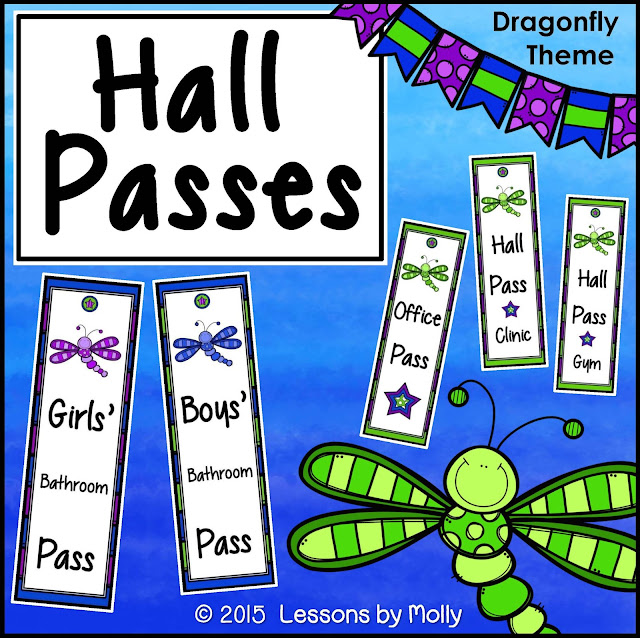
In addition to a sign out sheet, you will also need bathroom passes.  You will need bathroom passes if your school requires students to have a hall pass when they are outside of your classroom.  If this is not a requirement at your school, you might want to use bathroom passes to limit the number of students away from the classroom.  When a pass is missing, students know they must wait for another child to return to class before leaving the room.  I recommend that the passes have the ability to be disinfected.  Paper passes can be laminated which will allow them to be wiped clean.  I created some FREE hall passes which can be printed and laminated for classroom use.  I was blessed to get an "Oh-So-Lovely" Dragonfly Creative Kit from Krista Wallden.  She has generously given me permission to create my hall passes with this clip art set.  Should I mention that her dragonfly clip art set is still FREE???  I LOVE the dragonflies!

Get your hall passes ready by starting with these 4 steps:  Print, cut out, laminate, and cut out again.
Print.

Cut out.
Laminate
Cut out again.


When you have finished the steps above you have a few more options.  One option is to make your passes magnetic.  Adhere magnets to the backs.  This way, you can display your passes on your teacher's desk, file cabinet, steel door, or anything else that will attract magnets.  Adhesive business magnets can be purchased and office supply stores.  They will fit on the passes!
I used a pink dragonfly for the girls' bathroom pass and a blue dragonfly for the boys' bathroom pass. 


Adhesive business magnets can be positioned on the backs of the passes.
No tape.  No glue.  No MESS!  Magnets are the best!
The magnetic method is my favorite but here are two more ideas:

A hole can be punched into the top center circle. 

 Then you can put a ring on it.
 

The last idea is the "Mug Method".  My hall passes are thin enough to fit inside most wide-mouthed mugs.  The "Mug Method" is great when you have surface space (desks, tables, and deep ledges) but wall space is limited.  The mug can easily be placed on a desk.  Plus, you can store other items in it such as paper clips, pens, & pencils.  The mug also makes a great paperweight!  You will want to limit the number of passes in one mug to three.  If you have more than three passes in one mug, students will lose time as they sift through the passes looking for the one they need.  Another disadvantage of the "Mug Method" is that more students are handling all the passes.  Hence, there are more germs exchanged.


I hope that you've enjoyed reading this ideas on how to set up your restroom sign-out sheet and hall passes.  You can get the FREEBIE by clicking on the image below.

https://www.teacherspayteachers.com/Product/hall-pass-1973755


If you would like to learn more about classroom bathroom procedures, read this post:  Bathroom Procedures


Lessons by Molly © 2015  All rights reserved.

Monday, July 6, 2015

One Hundred Dollar Gift Certificate Giveaway!

Better Odds Than . . . .

A while back I joined, The Best of Teacher Entrepreneurs Marketing Cooperative.  I am excited to tell you about a giveaway  sponsored by the TBOTEMC. 

What could be better than a gift certificate for $100.00 worth of teaching resources!  

Win the gift certificate and get EXACTLY what you WANT and NEED for your educational programs.

There are a few things you will need to do to enter the giveaway.

1.  Use the prompts on the Rafflecopter application to comment about the giveaway on your Facebook or Twitter pages.  This is one way to get an entry into the contest.  The Rafflecopter application is at the bottom of this post.  Give it a few seconds to load.

2.  Increase your odds of winning by visiting the Teachers Pay Teachers seller stores listed through the Rafflecopter.   There are 13 stores.  Visit all of them and name a product from each seller's store.  This will give you 13 additional chances of winning $100.00 WORTH OF TEACHING RESOURCES.
 
   This giveaway has better odds than . . . . playing against a casino game!  

All you have to lose is a little of your time.  Go ahead and enter now!  This contest ends at 11:00 p.m. on July 27, 2015 Pacific Time. 

Lessons by Molly © 2015  All rights reserved.

a Rafflecopter giveaway


Sunday, May 31, 2015

skip-counting-patterns

It's the end of the school year and spring fever is in full swing!  Students need activities that will get them up and MOVING.  If you can take them outside, all the better!

I have an activity that can be done indoors OR outdoors.  I call it, Kids To Corners.  If you take the activity outdoors, you might want to give it a different name such as People To Posters.

Almost any topic or content area can be used for this activity.  The length of time needed depends on how many problems the students will work through.  10 minutes at one time is the maximum that I would recommend for this.  Then, I might use it again the next day.  The posters that I created for this version of Kids To Corners are for skip counting and counting by ones.  They are for first and second graders.      
 

Here's how Kids To Corners works in the classroom: 
1.  Use four topic posters.  (The ones that I created are number patterns which involve skip counting and counting by ones.)
2.  Place one poster in each of the four corners of your classroom.
3.  Have the students stand up.
4.  Read a counting sequence.   One example is:  "60, 70, 80, 90".
5.  Students determine the pattern used.  In the example above, it was for counting by tens.  Students move to the appropriate corner which displays the poster.
6.  Repeat the procedure with a new counting sequence.

Here's how People To Posters works outdoors:
1.  Select your outdoor space.
2.  If you are using trees as I did in the photos, make sure that you have strong tape!  Regular tape should work well if you are planning to tape the posters to playground equipment.  It is a good idea to keep the posters at your students' eye level so that they can reread the information.  You could also use a rock or mulch to anchor posters to the ground.
3.  Show the students the locations of each poster.  Make sure they know what counting sequence can be found in every spot.
4.  Read a number pattern.  (If necessary, take a megaphone outside with you!)
5.  Have students find the appropriate poster for the number pattern that you read.
6.  Have the children find and move to that location.
7.  Repeat the procedure with a new counting sequence.


They say that exercise and movement help get our brains working!  Children need to get their bodies moving as they're learning and reviewing important skills that were taught throughout the school year.  They will love the extra exercise time!      

I created this activity to review first and second grade math standards.  To see the specific standards associated with this activity, see the list at the end of this post.  Kids To Corners - Grades 1 & 2 Counting Patterns is available at my Teachers Pay Teachers shop.

The posters included are:

Poster 1:  Counting By Ones
Poster 2:  Counting By Tens
Poster 3:  Counting By Fives
Poster 4:  Counting By Twos
Poster 5:  Counting By Hundreds

If you teach 1st grade, use posters 1-4 to target math standards.  If you teach 2nd grade, use posters 1-3 and poster 5.

In addition to the posters, I am providing you with counting sequences.  There are sheets for first and second grade.  It is a good idea to have counting sequences completed ahead of the activity.  This will allow you to easily reread the sequence if needed.  Here's what the second grade number patterns looks like:


How important are high order thinking skills!  The children need to create their own number patterns in order to take ownership of Kids To Corners.  In the case of the student created counting sequences, it is the CHILDREN have created the patterns that will be used.  It is their application of the skill.  

I have included a template which can be used for the student-created number patterns.  Cut on the broken lines and give each child one strip to complete.  Then, collect the strips and use them in place of the counting patterns that were provided.  Here's what the first grade template looks like:

If you are interested in this activity, click on the image shown below to view it at my Teachers Pay Teachers store: 

https://www.teacherspayteachers.com/Product/counting-patterns-movement-activity-1878541
  
I live in the state of Virginia.  Therefore I will include both a relevant first grade Virginia standard as well as a link to a second grade Common Core State Standard. 

Common Core State Standards:  

Second Grade Number Operations & Base Ten  - counting and skip counting
  
Standards for the State of Virginia:

First Grade Number & Number Sense - Math 1.2


Lessons by Molly © 2015  All rights reserved.


Thursday, May 21, 2015

A Walk in the Woods and a Train Ride

Walking is a healthy form of exercise!  It feels even better when you can do it with your family to support an important cause.  Earlier this week I participated in a walk hosted by the Fragile X Families of Northern Virginia.  It was a chance to escape from the computer, enjoy nature, and get those leg muscles working again! 

We've Got Your Back!

It was also a great opportunity for families to support each other as they embrace those they love who are touched with the Fragile X mutation.  Fathers, mothers, brothers, sisters, aunts, uncles, grandparents and cousins were in attendance of this important, fundraising event.   
Thanks to donations from both private individuals and corporate sponsors, Fragile X Families of Northern Virginia exceeded their goal and raised over $51,000!  Some of that money will go toward future educational conferences which benefit many families in the area.

After the one mile walk, we were treated to a train ride.  Whether you have Fragile X syndrome or not, the joy of a train ride is something we ALL have in common!


If you would like to donate to the Fragile X Families of Northern Virginia, or view more photos from the 2015-3rd annual walk, follow the link below:

Fragile X Families of Northern Virginia
 If you would like to learn about Fragile X, follow the link below:

National Fragile X Foundation


Lessons by Molly © 2015  All rights reserved.